


iDaft Jamming-Daft Punk Sounds
3.8356.00 Reviews
App Specs
- Version
- 1.8.1
- Updated On
- License
- Free
- Downloads
- 1,000,000+
- Developer
- Drohm
- Categories
- Music
- Platform
- Android
Screenshots
 Analysis by AppCompare
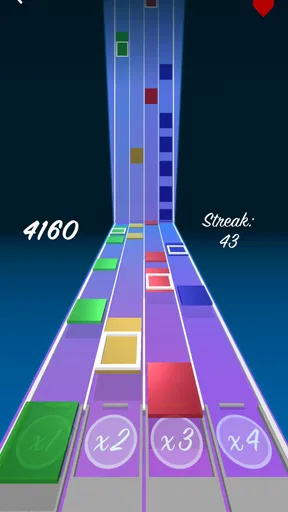
The first few sessions with iDaft Jamming-Daft Punk Sounds are easy to enjoy because the idea is immediately clear: tap musical samples, join them into a familiar groove, and see where your timing takes you. I’d treat it less like a full music-making workstation and more like a pocket-sized toy for Daft Punk fans. That distinction matters. The fun is in playing with a compact set of sounds, not in building a polished track from scratch.
That quick payoff makes it an appealing choice when I have a spare moment and want to do something more hands-on than putting on an album. It also makes the game approachable for someone who has never used music software. You can start by tapping along, then try holding a rhythm while adding other sounds. There is no need to arrive with musical training; curiosity and a sense of timing are enough to get something enjoyable out of it.
Why the first sessions work
The appeal is tied closely to recognition. Daft Punk’s sound gives the activity a clear identity, so even a simple combination of samples can feel playful to a fan. Instead of facing a blank screen and wondering what to make, you have a musical world to respond to. I think that lowers the barrier to trying things: tap a part, listen to how it sits with another, and change your approach if the rhythm feels crowded.
A practical way to explore is to begin with a steady loop and add only one sound at a time. That small restraint helps you hear what each layer contributes, rather than tapping everything at once and losing the shape of the beat. Once a combination feels coherent, you can record a short session to keep it or share it. I’d use recording as a way to capture a fun moment, not as a promise of a finished production workflow.
Where it fits in a music routine
As a music game from Drohm, this is at its best in brief, informal bursts: while waiting for a friend, taking a break, or passing a phone around to see who can find a satisfying pattern. A realistic use is a few minutes on the sofa after a long day: put on headphones, find a loop that feels good, and experiment without worrying about whether the result is technically impressive. That is a different kind of listening from playing a full Daft Punk album, and the hands-on part is what gives it its charm.
Compared with a streaming app, it asks you to participate rather than choose a track and listen. Compared with a general-purpose music-making app, it is more focused and less demanding, but that focus also limits how far you can take an idea. If you want to compose with your own sounds or work toward a detailed arrangement, a dedicated music tool is the better fit. If you mainly want an easy, recognizable soundboard to fiddle with, this game has a clearer purpose.
Playing Around with iDaft
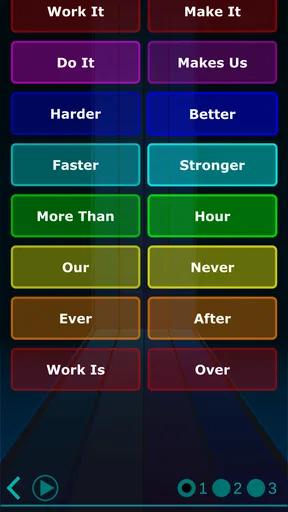
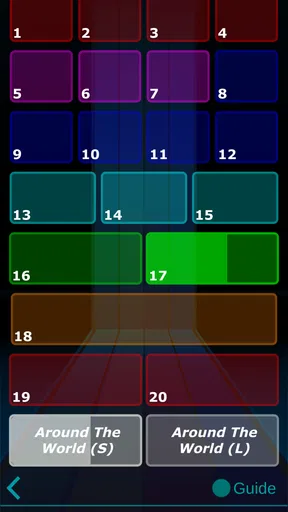
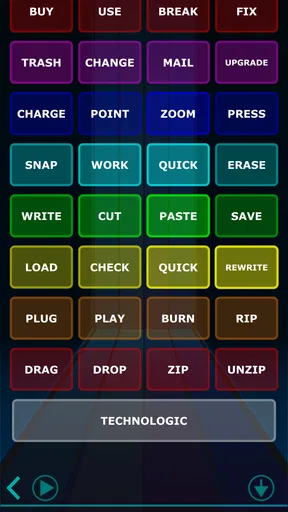
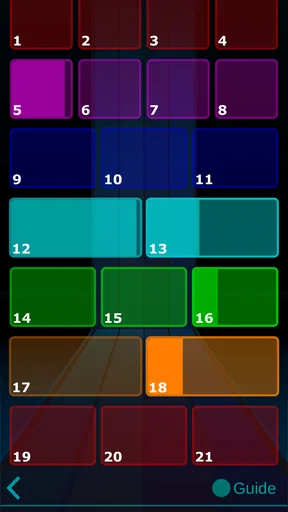
From the moment you fire up iDaft Jamming-Daft Punk Sounds, you’re greeted with a sleek and simple interface. No fancy bells and whistles here—just pure musical fun waiting to happen. The app is all about making music accessible and fun, even if you’re not a seasoned musician. You’ll find a set of pads that let you trigger samples and loops from some of Daft Punk’s most beloved tracks. Think of it as a digital soundboard, but way cooler.
Worth Reading Before You Choose

EA SPORTS FC Mobile 26 Is a Bigger Football Game, but It Takes Time

Flipboard Shows What News Apps Must Do Beyond the Feed

Switching to Android Auto Means Rethinking Your Driving Routine

Google Calendar Makes a Crowded Week Easier to Manage

Ludo King Makes the Most of the Minutes Between Plans

Baby Panda World Brings Quick Play to Modern Phones, but Its Game Library Feels Busy
The User Experience
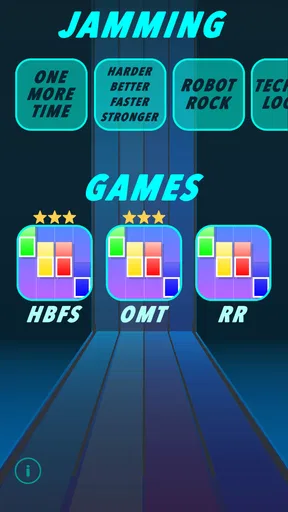
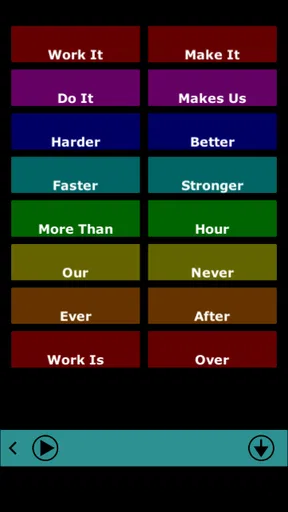
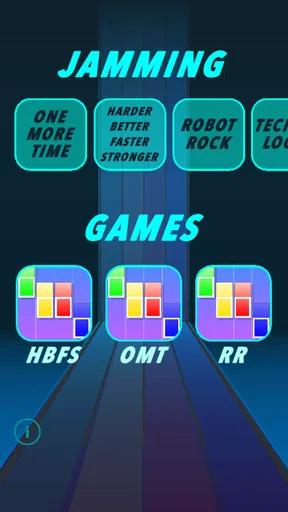
Navigating through the app is a breeze. You’ve got your classic tracks like "Harder, Better, Faster, Stronger" and "Technologic" at your fingertips. With just a tap, you can unleash your favorite sound clips and start building your own beats. The app is responsive, and there’s virtually no lag, so your jamming session stays smooth and uninterrupted. I found myself lost in the music, layering sounds and getting creative with the arrangements.
One of the coolest features is the ability to loop sounds. This means you can keep a base beat running while you experiment with other layers. It’s like having your own mini Daft Punk studio right in your pocket. Plus, the app’s minimalist design keeps you focused on what really matters—the music!
Getting Creative
Now, if you’re anything like me, you’ll appreciate how intuitive and user-friendly this app is. You don’t need any musical background to start creating. Just feel the rhythm and let your fingers do the work. There’s something incredibly satisfying about hitting the right combo of sounds and crafting a beat that makes you want to groove.
And for those who love to share their creations, the app lets you record your sessions. You can then share your musical masterpieces with friends or even on social media. It’s a fun way to showcase your inner DJ skills and maybe even impress a few fellow Daft Punk fans.
Good fit, with a clear ceiling
That ceiling is important when deciding whether this deserves a regular place on your phone. The game is free to start, is rated for Everyone, and has reached over one million installs, so it is easy to understand why curious listeners give it a try. Its average rating is 3.6 from around 6,400 ratings, a reminder that a simple, specialized concept will not suit every player. I’d recommend it most to fans who want a playful way to interact with familiar sounds, rather than to anyone expecting a deep composing tool.
There are also practical questions worth settling before you build a habit around it. It is listed for Android 9 and later, and its current version is 1.8.1. The game has in-app purchases ranging from $0.99 to $9.49 per item, so I would check the purchase prompt carefully if a child is using the phone or if you want to keep the experience entirely free. The age rating is Everyone, but that does not remove the need to manage purchases on a shared device.
For a casual session, I’d choose a quiet moment and use headphones if I want to hear how the parts fit together without disturbing anyone. I’d also set a small goal—find one groove I like, record it, then stop—rather than expecting each session to produce a new idea. That makes the game easier to enjoy on its own terms and avoids turning a light diversion into an obligation.
What may wear thin
The focused Daft Punk selection is both the main attraction and the likely source of fatigue. Familiar samples can make the first experiments rewarding, but the same narrow palette may feel repetitive once the novelty wears off. The original track options may be enough for occasional play; someone who wants an expanding library, their own imported sounds, or step-by-step remix guidance may find the experience restrictive. Those are reasonable wishes, but they describe a different, more open-ended music tool.
It also helps to keep expectations realistic about recording and sharing. Capturing a session is useful when a combination comes together, but I would not choose this over a dedicated recording or editing app when I need control over a finished piece. The game’s strength is the immediate loop of tapping and listening, not a long production process. If sharing is the point, I’d make a short, deliberate recording and listen back before sending it; a spontaneous jam can sound more fun while playing than it does out of context.
Maintenance and lasting value
This is a low-commitment game rather than a routine that needs much upkeep. There is no reason to schedule daily sessions or learn a complex system to get started. Its recurring value depends mainly on whether you still enjoy the specific sounds and the small challenge of combining them. I would keep it installed if I found myself returning to it for short breaks or sharing a quick jam with friends; I would remove it without regret if I only opened it once to satisfy my curiosity.
Drohm’s music game has been available since March 16, 2021, and its lasting appeal comes from a narrow, recognizable idea rather than a promise of constant reinvention. That can be a virtue: the simple format gets out of the way and lets a fan play. It can also mean there is less to discover after you have tried the combinations that interest you. For a broader sound palette or more serious arrangement work, I’d move to a general music-making app; for casual Daft Punk-flavored tapping, this one is the more direct option.
My long-term verdict
While the app is tons of fun, there are a couple of things that could make it even better. For starters, I’d love to see more track options added to the mix. While the current selection is great, having a wider variety would keep things fresh and exciting. Also, a feature to customize or import your own sounds could take the creative possibilities to a whole new level.
Another neat addition could be some interactive tutorials or challenges. These could guide users on how to recreate specific Daft Punk tracks or even remix them in a unique way. It would be a fantastic way to engage users and enhance their musical skills.
All in all, iDaft Jamming-Daft Punk Sounds is a must-have for any Daft Punk enthusiast or anyone looking to have a bit of fun with music. It’s a delightful way to spend a few minutes (or hours!) and let your creativity flow. Whether you’re a seasoned music producer or just someone who likes to dabble in digital tunes, this app offers a unique experience that’s both entertaining and rewarding.
So, if you’re ready to step into the world of Daft Punk and create your own electronic symphony, give iDaft Jamming-Daft Punk Sounds a try. Who knows, you might just discover a hidden talent for jamming!
Pros
- Easy-to-use interface for quick access.
- High-quality Daft Punk sound samples.
- Includes a variety of iconic tracks.
- Allows for creative mixing and jamming.
- Offline mode available for uninterrupted use.
Cons
- Limited to Daft Punk sound library.
- No option for recording your sessions.
- App contains ads that can be intrusive.
- Requires in-app purchases for full access.
- No social sharing features for creations.
FAQs for iDaft Jamming-Daft Punk Sounds
What is iDaft Jamming-Daft Punk Sounds and how does it work?
iDaft Jamming-Daft Punk Sounds is an interactive music app that lets users recreate Daft Punk's iconic sounds. By tapping on different buttons, you can mix and match famous samples from Daft Punk tracks. It's designed for both casual fans and aspiring musicians, offering an engaging way to experience and interact with the music.
Is iDaft Jamming-Daft Punk Sounds free to use?
Yes, iDaft Jamming-Daft Punk Sounds is free to download and use. However, it may contain in-app purchases or ads to enhance the experience or unlock additional features. Always check the app store listing for any specific details about potential costs associated with the app.
What devices are compatible with iDaft Jamming-Daft Punk Sounds?
iDaft Jamming-Daft Punk Sounds is available for both Android and iOS devices. Ensure your device meets the necessary system requirements, which are typically listed in the app store, to guarantee smooth performance. Compatibility may vary depending on the device's operating system version.
Does iDaft Jamming-Daft Punk Sounds require an internet connection?
The app does not necessarily require an internet connection for its basic functions, allowing you to use it offline. However, some features, such as in-app purchases or updates, may need internet access. Always check the app's requirements for any specific online features.
Can I share my creations from iDaft Jamming-Daft Punk Sounds?
Yes, iDaft Jamming-Daft Punk Sounds often includes features that allow you to share your musical creations with friends or on social media. Check the app's sharing options to see how you can export or share your mixes. This feature enhances the app’s social and creative appeal.


